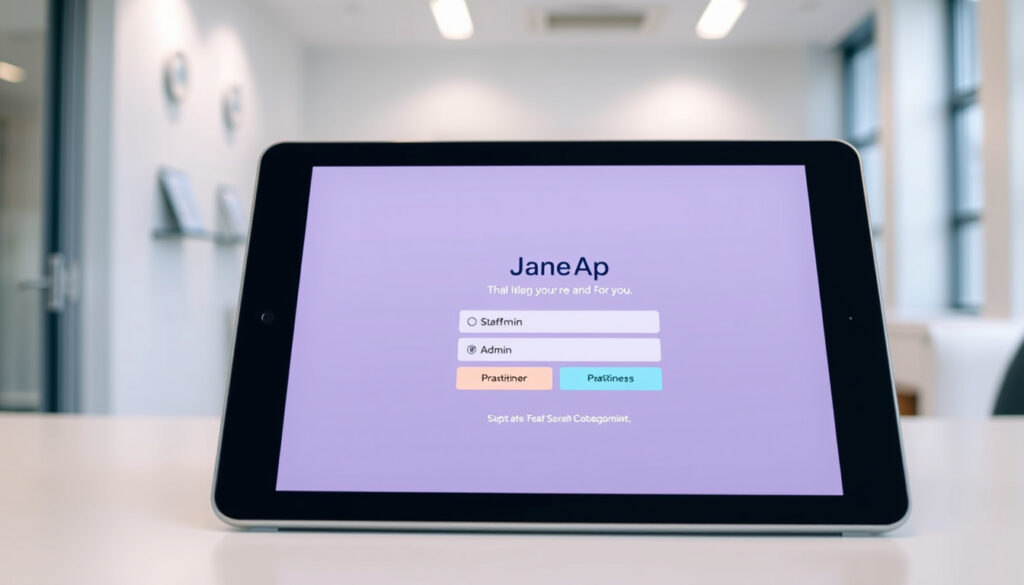
Jane App Sign In Guide: Staff, Admin, Practitioner, Patient
If you’ve ever found yourself staring at a login screen wondering whether you’re logging in as staff, a practitioner, or a patient — you’re not alone. Jane App separates these roles into distinct portals, and getting to the right one starts with knowing the exact URL to use. This guide walks through sign-in steps for every user type, from the official Jane App sign-in page, along with troubleshooting tips and access-level explanations pulled straight from Jane’s own documentation.
Official Sign-In URL: jane.app/sign-in · Primary Users: Clinics, Practices, Studios, Patients & Clients · Patient Portal Name: My Account · Practitioner Guide: Available on Jane App · Clinic Lookup: cue.janeapp.com
Quick snapshot
- Sign-in at jane.app/sign-in works for all roles (Jane App)
- My Account is the patient portal name (Jane App Guide)
- 8 staff access levels exist including Full Access and Account Owner (Jane App Guide)
- Mobile app availability for dedicated sign-in
- Specific login variations by Canada province beyond BC Teleplan
- Ongoing feature updates to /admin login and My Account portal (Jane App Guide)
- Jane continues expanding Canada-specific features including data deletion rights (Jane App Guide)
| Field | Value |
|---|---|
| Main Sign-In Page | https://jane.app/sign-in |
| Account Lookup | https://cue.janeapp.com/ |
| Practitioner Guide | https://jane.app/guide/practitioner-sign-in |
| Patient Portal | https://jane.app/guide/my-account-your-patient-client-portal |
| Homepage | https://jane.app/ |
How to Sign In to Jane App
The main sign-in page at jane.app/sign-in serves as the entry point for all user types, whether you’re clinic staff, a practitioner, or a patient booking an appointment. The page lets you search for your practice by name if you don’t know the direct clinic URL.
General sign-in steps
The fastest route for staff and practitioners is to use a URL ending in /admin — for example, clinic.janeapp.com/admin. This takes you directly to the one-page admin login instead of the patient portal. For patients, the base URL or /account path routes to the My Account portal.
Using the /admin path for staff access prevents accidentally landing in the patient portal, which is a common source of confusion documented in Jane’s troubleshooting guide.
First-time login video guide
Jane provides a training video covering initial sign-in and platform overview at jane.app/video/practitioner-training-initial-signing-in-and-overview. New practitioners and staff can follow along step-by-step to get oriented before their first appointment.
Jane App Staff Login
Staff members log in at the main sign-in page using their assigned username and password. The username and password are typically set up by a Full Access staff member or Account Owner who creates the staff profile and sends a Staff Welcome Email to the new team member.
Staff access requirements
Before staff can log in, they need an active staff profile. Only a Full Access user or Account Owner can create staff profiles and assign access levels. Jane offers eight distinct access levels, ranging from No Access to Account Owner, and each controls what parts of the platform the staff member can see and modify.
The table below summarizes the permission boundaries for each access level, making it easier to understand what staff members can and cannot do based on their assigned role.
| Access Level | Admin Access | Scheduling | Billing |
|---|---|---|---|
| No Access | None | None | None |
| Practitioner (Limited) | Own metrics only | Own schedule only | Personal only |
| Front Desk | Basic | Yes | No |
| Administrative/All Billing | Full billing | Yes | Yes |
| Full Access | Full | Yes | Yes |
| Account Owner | Full + ownership | Yes | Yes |
The implication: assigning the wrong access level either blocks legitimate work or grants excessive permissions to staff members who don’t need them.
Troubleshooting staff login
If a practitioner keeps getting logged in as a patient instead of accessing the admin side, they likely have a patient profile using the same email address but no staff profile yet. A Full Access staff member can merge duplicate profiles by clicking + next to the duplicate and selecting the staff profile as primary, according to Jane’s troubleshooting guide.
Solo practitioners without username access should contact support directly at support@jane.app or call 1-844-310-5263.
Jane App Admin Login
Admins access Jane through the same sign-in portal as other staff, but their elevated permissions unlock practice management features like billing configuration, staff management, and subscription settings.
Admin role differences
Not all staff with “admin” in their title have the same access. Full Access staff can manage other team members’ profiles and access levels, but only the Account Owner can handle subscription changes, credit card updates, and ownership transfers. There is exactly one Account Owner per Jane account, per Jane’s staff access documentation.
Admin setup process
Administrative profiles are automatically set without needing a discipline assignment, making them simpler to configure than practitioner profiles. In British Columbia, Teleplan settings including the MSP Practitioner Number can be configured directly in staff profiles, as noted in Jane’s staff setup guide.
Jane App Sign Up
Signing up for Jane differs depending on whether you’re a practitioner joining an existing clinic or a clinic setting up a new account from scratch.
Sign up for practitioners
Practitioners don’t sign up directly on Jane’s website — instead, the clinic’s Account Owner or Full Access staff creates their staff profile and sends an invitation via the Staff Welcome Email. This process sets up their username and password securely from the start.
Client sign up via portal
Clients and patients access their portal through online booking or a Welcome Email from their clinic. Once they click the link, they land in My Account where they can complete intake forms, manage appointments, and update their personal information. Each clinic has a separate My Account portal, so patients with appointments at multiple Jane clinics will have distinct accounts at each location.
Jane App for Clients and Practitioners
Jane serves health and wellness practitioners across physiotherapy, massage therapy, chiropractic, and other clinic types. The platform handles booking, charting, scheduling, and billing in a single interface.
Patient portal My Account
My Account is Jane’s secure patient portal accessible after online booking or receiving a Welcome Email. Patients can view upcoming appointments, complete intake forms (with a banner prompt for completion), and manage active sessions. Canadian patients can request deletion of their account and data directly from the My Account settings page.
If a clinic hasn’t enabled Google login integration, patients won’t see the option to link or unlink their Google account in My Account — availability depends on clinic settings, according to Jane’s portal documentation.
Practitioner tools overview
Practitioners can download Jane from the app stores and access their dashboard from mobile devices. The patient profile dashboard displays metrics based on the full patient record and is accessible to authorized staff members only. Practitioners without a discipline assignment may need administrative staff to configure their profile correctly to avoid patient portal redirection issues.
Key specifications
The following specifications cover the essential login parameters, support contacts, and regional configurations for Jane App access.
| Specification | Details |
|---|---|
| Main Sign-In URL | https://jane.app/sign-in |
| Staff Admin Login Path | /admin (e.g., clinic.janeapp.com/admin) |
| Patient Portal Name | My Account |
| Staff Access Levels | 8 (No Access, Practitioner Limited, Practitioner Front Desk, Front Desk, Administrative, Full Access, Account Owner, Inactive) |
| Account Owner Limit | 1 per account |
| Password Reset Methods | Email or phone from main login page |
| Support Phone | 1-844-310-5263 |
| Support Email | support@jane.app |
| Canada Data Deletion | Available via My Account portal |
| Teleplan Region | BC Canada (MSP Practitioner Number) |
| Clinic Account Lookup | https://cue.janeapp.com/ |
Step-by-step sign-in guide
Eight access levels exist across Jane’s permission system, with distinct login paths for staff versus patients.
- Determine your role — Are you clinic staff, a practitioner, or a patient? This determines which login URL to use.
- Access the main sign-in page — Go to jane.app/sign-in or search for your practice name directly.
- Staff and practitioners — Append /admin to your clinic’s URL (yourclinic.janeapp.com/admin) for one-page admin access.
- Patients and clients — Use the base clinic URL or /account path to reach the My Account portal.
- Enter credentials — Username and password were set up by your clinic’s Account Owner or Full Access staff member.
- Forgot your username or password? — Click the link on the login page and enter your registered email or phone number.
- First-time setup — If you haven’t received credentials, check with your clinic admin or contact support@jane.app.
- Enable two-factor if available — Some clinics enable additional security; follow on-screen prompts after login.
The pattern: completing these steps in order prevents the most common login errors—wrong portal, missing credentials, and profile mismatches that land practitioners in the patient view.
What’s confirmed versus what’s still unclear
Confirmed
- Sign-in at jane.app/sign-in serves all roles
- My Account is the official patient portal name
- Staff login requires /admin path for admin access
- Full Access staff can create and manage other profiles
- Account Owner is limited to one per account
- Canada patients can request data deletion
Still unclear
- Whether a dedicated mobile app exists with separate login requirements
- Specific login feature differences by Canada province beyond BC Teleplan
- Availability timeline for Google login integration across clinics
What Jane’s documentation says
“It’s easiest for staff members to log in from a URL that ends with /admin.”
— Jane App Guide: Helping Staff Sign In
“Patients in Canada can request deletion of their account and data.”
— Jane App Guide: My Account Portal
“There is only one Account Owner per Jane account and they are considered the legal custodian of data.”
— Jane App Guide: Staff Access Levels
Related reading: Helping Staff Sign In · Help! I’m a Practitioner but Keep Getting Logged In as a Patient
While Jane App tailors sign-in for practitioners and admins, the staff portal login guide offers universal troubleshooting for similar organizational systems.
Frequently asked questions
Is Jane app login different for Canada users?
The core login process is the same across regions. Canadian patients do gain access to account and data deletion options within My Account, which is a Canada-specific privacy feature.
How do I download the Jane app?
Jane is primarily a web-based platform accessible via browser. Mobile access works through the responsive web interface — check your device’s app store for any dedicated Jane apps if your clinic has enabled them.
What features are available after Jane app sign in?
Post-login features depend on your role. Staff see scheduling, charting, and billing tools. Practitioners access patient records and their own dashboard. Patients can view appointments, complete intake forms, and manage personal information in My Account.
How to reset Jane app password?
Click “Forgot your username or password?” on the main sign-in page and enter your registered email address or phone number. Jane will send a reset link valid for a few days, according to Jane’s password reset documentation.
Can patients book directly via Jane sign in?
Patients book appointments through the clinic’s online booking system, which may be linked from their My Account portal. Once booked, they access and manage those appointments through My Account after signing in.
What browsers work for Jane app login?
Jane supports modern browsers including Chrome, Firefox, Safari, and Edge. For the best experience, keep your browser updated and enable cookies and JavaScript.
Is Jane app free to sign up?
Jane is a paid practice management platform — clinics and practitioners subscribe to use it. Patients do not pay to create a My Account portal or book appointments at Jane-powered clinics.
More related posts
 Rent Increase 2025 Ontario: Maximum 2.5% Guideline Rules
 Fred Armisen Biography: Ethnicity, Relationships, and TV Shows
 Martin Sheen: Health, Sobriety, and Family Life
 Greek Gods: Olympians, Primordials & Key Myths
 Chuck Lorre Biography: Shows, Net Worth & Sheen Feud
 Kim Lévesque-Lizotte: Biography, TV Credits, and Personal Life
 Puff Daddy Now: Where Is He, Net Worth Loss, and Legal Troubles
 Kim Seon-Ho: Biography, Dramas, Movies, and Facts
